> For the complete documentation index, see [llms.txt](https://docs.limio.com/llms.txt). Markdown versions of documentation pages are available by appending `.md` to page URLs; this page is available as [Markdown](https://docs.limio.com/product/settings/understanding-the-limio-navigation-side-bar.md).
# Navigation
## Understanding the Limio Navigation Side Bar
The Limio app features a sidebar that helps users navigate and manage the key building blocks of subscription experiences. These are grouped into two categories:
* **Catalog User concepts**: For creating and customising the shop and acquisition experience
* **Subscription User concepts**: For reviewing, managing, and validating customer subscriptions
***
## **Catalog User concepts**
* **Pages**
* **Offers**
* **Add-Ons**
* **Products**
* **Entitlements**
* **Segments**
* **Tags**
* **Assets**
* **Promo Codes**
* **Journeys**
* **Search**
* **Operations**
* **Config**
***
### **Pages**
Marketing experiences designed to acquire, retain, cross-sell, or upsell customers (e.g. Black Friday campaign) and contain Offers that power the customer-facing Limio Shop experience.
[Page Builder Overview](/product/page-builder/page-builder-overview-of-key-features.md)
[Publish/Unpublish Pages](/product/page-builder/how-to-publishunpublish-your-pages-online.md)
***
### **Offers**
Defines a Product's pricing and displays what is being sold to the customer in the Limio Shop. Offers have a Product, a Price and their own set of Attributes based on the Offer Template. Offers can be part of a Campaign or standalone:
* Offers can be accessed from the sidebar
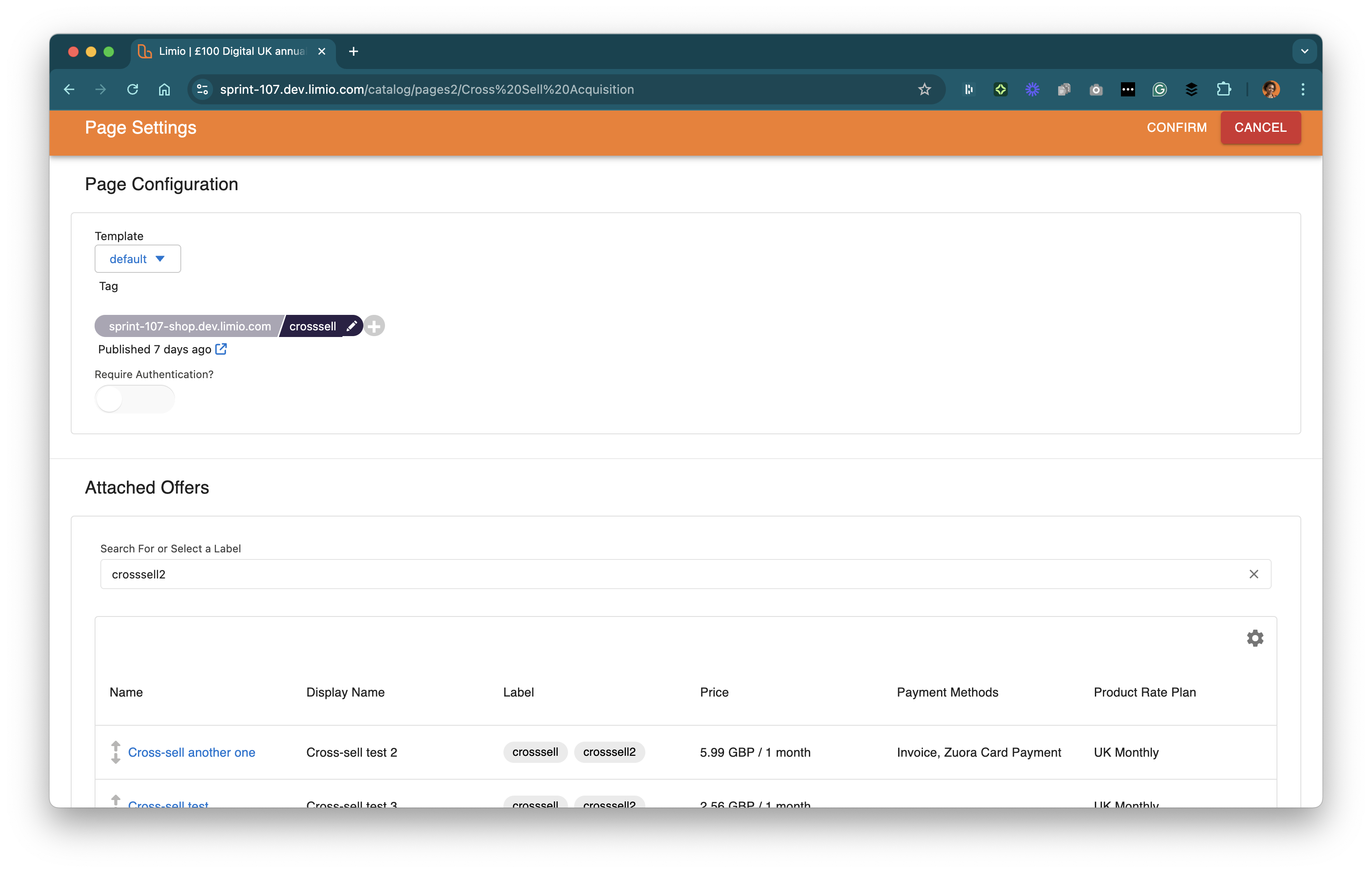
* Attached Offers can be accessed within the Page where they're being used
* Page > Settings > Attached Offers
[What are Offers and how to configure them?](https://docs.limio.com/product/pricing/what-are-offers-and-how-to-configure-them#what-are-limio-offers)
[How to create Offers and Add-Ons to Attach to Pages](https://docs.limio.com/product/pricing/how-to-create-offers-and-add-ons-to-attach-to-pages)
***
### **Products**
Can be physical or digital (e.g. print media subscription or digital SaaS licences), used for one-off or subscription offers and has unique Attributes based on the Product Template. Each product has a unique product code.
[How do products, offers and pages relate in Page Builder v2](https://docs.limio.com/product/page-builder/how-do-products-offers-and-pages-relate-in-page-builder)
***
### **Entitlements**
Features or access rights granted to a customer when subscribing to a product. They can be used to differentiate between Offers and ensure each customer receives the correct level of service. Each Entitlement is associated with specific Products and can vary based on the subscription type.
[How to propagate entitlements from Limio to Zephr](https://docs.limio.com/integrations/other-integrations/zephr/how-to-propagate-entitlements-from-limio-to-zephr)
[How to map temporary entitlements for new orders from Limio to Zephr](https://docs.limio.com/integrations/other-integrations/zephr/how-to-propagate-entitlements-from-limio-to-zephr/how-to-map-temporary-entitlements-for-new-orders-from-limio-to-zephr)
***
### **Segments**
Groups of subscribers defined by shared characteristics (e.g. cancel reason, engagement level, etc.). They can be used for configuring Journeys to target specific customer behaviours and are automatically assigned based on actions like purchasing a particular Product.
***
### **Tags**
The URLs at which Pages are published on your domain (e.g. `/welcome` or `/specials` results in `https://sandbox-shop.dev.limio.com/welcome`), determining where Offers appear within the Limio Shop. Note: The `/default` Tag is used to define the homepage.
[Default Tag](/product/page-builder/how-to-publishunpublish-your-pages-online/what-is-the-default-tag.md)
***
### **Assets**
Rich media files (e.g. images) are used to support and manage shop content within Limio. Once uploaded, Assets appear in the content hierarchy and can be searched and added to Pages, Offers, or Page Components.
[Add Images to Offers (Legacy)](/product/legacy-features/how-to-configure-legacy-offers-legacy/how-to-add-images-to-offers-and-display-them-on-the-page.md)
***
### **Journeys**
Rule-based flows that direct customers to specific Pages based on defined conditions (e.g. segment). When a customer matches the set conditions, an action is triggered to redirect them to a specified URL, commonly used to manage international customer experiences and to support A/B testing.
[What are Limio Journeys](/product/journey/what-are-limio-journeys.md)
***
### **Operations**
Provides tools for managing and monitoring key platform activities:
* **Jobs** displays whether jobs are successful, active, pending, or failing.
* **Export** allows you to generate CSV files for any objects in the Limio Catalog (e.g. Products) or Subscriptions
* **Mass Build and Publish** supports bulk publishing of content
* **Zuora Product Catalog** displays Zuora Products
[What are Operations & Config?](https://docs.limio.com/product/settings/config-settings)
***
### **Config**
Contains templates that define the structure and attributes available for objects in the Limio Catalog, These are fully configurable and vary by hierarchy level or template family. Each template includes:
* System Name
* User-visible Label
* Description (shown as a tooltip)
* Type (e.g. string, boolean, numeric, multi-picklist)
[How to configure the Layout for your Pagebuilder](https://docs.limio.com/product/page-builder/page-builder-overview-of-key-features/configure-layout)
[How to work with Templates and Custom Attributes](https://docs.limio.com/product/settings/config-settings/templates-and-custom-attributes)
***
## **Subscription User concepts**
* **Customers**
* **Subscriptions**
* **Orders**
* **Events**
* **Webhooks**
* **Gift Codes**
***
### **Customers**
Tracks all information related to the customer, including Subscriptions, Orders, Events and Address.
[How to Erase Personal Data for Data Privacy Requests](https://docs.limio.com/guides/administration-guides/how-to-erase-personal-data-for-data-privacy-requests)
***
### **Subscriptions**
Tracks all information relating to customers' subscription(s), and can be synced with an external billing system (e.g. Zuora).
***
### **Orders**
Tracks all Limio orders, including orders taken via Limio For Salesforce (LFS) and at all stages (e.g. cancel order).
***
### **Events**
Tracks all events related to a Customer or Subscription (e.g. checkout\_initiated).
[How Limio Events updates Zuora for Commerce](https://docs.limio.com/integrations/keeping-zuora-and-limio-in-sync/how-limio-events-updates-zuora-for-commerce)
***
### **Gift Codes**
Tracks all gift codes purchased and redeemed by customers.
[Guide: How to sell subscription gift codes in Limio Commerce](https://docs.limio.com/integrations/zuora-integration/manage-your-pricing/how-to-sell-gift-products-with-limio-and-zuora)
***
---
# Agent Instructions
This documentation is published with GitBook. GitBook is the documentation platform designed so that both humans and AI agents can read, navigate, and reason over technical content effectively. Learn more at gitbook.com.
## Querying This Documentation
If you need additional information that is not directly available in this page, you can query the documentation dynamically by asking a question.
Perform an HTTP GET request on the current page URL with the `ask` query parameter, and the optional `goal` query parameter:
```
GET https://docs.limio.com/product/settings/understanding-the-limio-navigation-side-bar.md?ask=&goal=
```
`ask` is the immediate question: it should be specific, self-contained, and written in natural language.
`goal` is optional and describes the broader end goal you are ultimately trying to accomplish on behalf of the user. GitBook uses it to tailor the answer towards what is most useful for that goal.
The response will contain a direct answer to the question and relevant excerpts and sources from the documentation.
Use this mechanism when the answer is not explicitly present in the current page, you need clarification or additional context, or you want to retrieve related documentation sections.
.png?alt=media)
.png?alt=media)
.png?alt=media)
.png?alt=media)
.png?alt=media)
.png?alt=media)
.png?alt=media)
.png?alt=media)
.png?alt=media)
.png?alt=media)
.png?alt=media)
.png?alt=media)
.png?alt=media)
.png?alt=media)
.png?alt=media)
.png?alt=media)
.png?alt=media)
.png?alt=media)
.png?alt=media)
.png?alt=media)
.png?alt=media)