> For the complete documentation index, see [llms.txt](https://docs.limio.com/llms.txt). Markdown versions of documentation pages are available by appending `.md` to page URLs; this page is available as [Markdown](https://docs.limio.com/integrations/using-limio-for-salesforce/passing-custom-fields.md).
# Custom Fields
## LFS version compatibility
The following Limio for Salesforce (LFS) versions are required for specific Limio flows and actions:
| **v12.22 or later** | Limio Acquisition Flow |
| ------------------- | ----------------------------------------------------------------------------------------------------------------------------------------------------------------------------- |
| **v12.72 or later** |
Cancel Change address Change payment Credit memo Gift refund Manage add-ons Pause print Redeem gift Refund Renew Revert cancel Switch
|
| **v13.26 or later** | Limio Initiate Checkout component |
### What is this feature?
You can now enhance the order payload sent from Limio for Salesforce (LFS) to Limio Commerce by adding custom fields. This allows you to pass contextual information such as customer metadata or campaign identifiers into Limio for further processing or analytics.
To pass custom fields in your flow, add the `"Input: Custom Fields"` attribute to one of the following components:
#### 1. **Limio Order Summary** component
Available in these flows:
* Acquisition
* Cancel
* Change address
* Change payment
* Credit memo
* Refund
* Renew
* Revert cancel
* Switch
* Manage add-ons
#### 2. **Pause Print** screen
The `"Input: Custom Fields"` is included directly in the screen component.
#### 3. **Limio Initiate Checkout Button** component (New in Release 13.26)
You can now use this when you're building standalone cart pages in Salesforce and triggering checkout directly.
### How do I configure it?
The attribute accepts a **JSON object string** as input.
#### ✅ Valid example:
`{"email": "user@example.com"}`
#### ❌ Invalid examples:
* `"user@example.com"` → Not a JSON object
* `["field1", "field2"]` → Arrays not supported
* `{field1: value1}` → Improperly formatted JSON
Use a **Salesforce Flow Formula resource** to generate the JSON string.
### Formula examples
Here is an example format you want to follow to populate custom fields property:
`"{\"Custom_Field__c\": \"" & {!$User.FirstName} & {!$User.LastName} & "\"}"`
If you will need to pass more than one field, you can add them separating with a comma:
`"{\"Custom_Field_One__c\": \"" & {!$User.FirstName} & {!$User.LastName} & "\", \"Custom_Field_Two__c\": \"" & {!$User.FirstName} & {!$User.LastName} & "\" }"`
### ⚠️ Important guidelines
* Always pass a **valid JSON object string**.
* Avoid plain text or scalar values.
* Avoid using arrays or nested objects.
* If the JSON is invalid or empty, Limio will return a **parsing error**.
### Impact
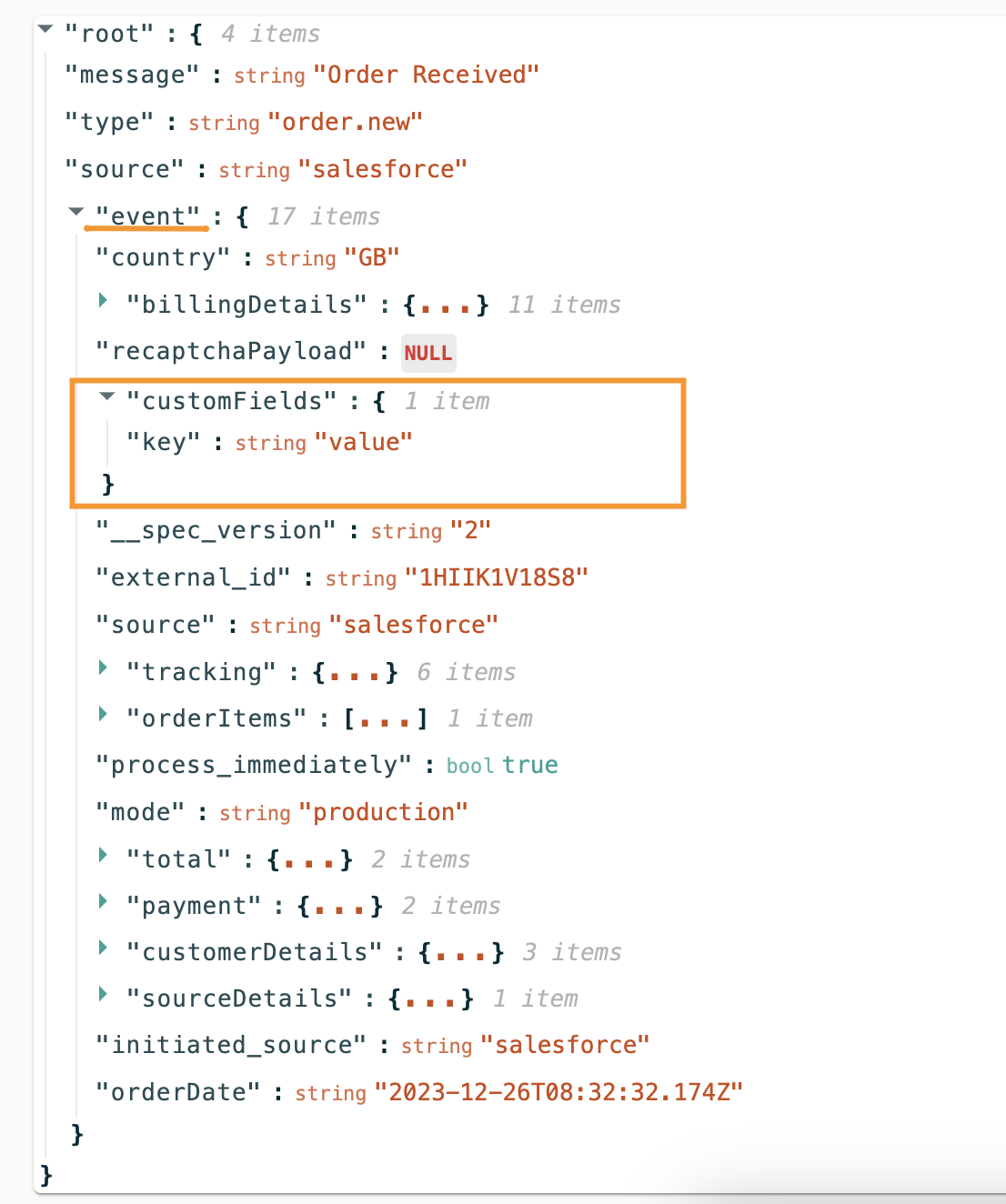
Once configured, the `customFields` object is included at the **top level of the Limio order payload**. If your Limio Commerce setup supports custom properties, this unlocks more flexible personalisation, tracking, and integration logic.
This feature is especially valuable for:
* Capturing Salesforce user context
* Passing through campaign metadata
* Enabling custom workflows in Limio Commerce
---
# Agent Instructions
This documentation is published with GitBook. GitBook is the documentation platform designed so that both humans and AI agents can read, navigate, and reason over technical content effectively. Learn more at gitbook.com.
## Querying This Documentation
If you need additional information that is not directly available in this page, you can query the documentation dynamically by asking a question.
Perform an HTTP GET request on the current page URL with the `ask` query parameter, and the optional `goal` query parameter:
```
GET https://docs.limio.com/integrations/using-limio-for-salesforce/passing-custom-fields.md?ask=&goal=
```
`ask` is the immediate question: it should be specific, self-contained, and written in natural language.
`goal` is optional and describes the broader end goal you are ultimately trying to accomplish on behalf of the user. GitBook uses it to tailor the answer towards what is most useful for that goal.
The response will contain a direct answer to the question and relevant excerpts and sources from the documentation.
Use this mechanism when the answer is not explicitly present in the current page, you need clarification or additional context, or you want to retrieve related documentation sections.