> For the complete documentation index, see [llms.txt](https://docs.limio.com/llms.txt). Markdown versions of documentation pages are available by appending `.md` to page URLs; this page is available as [Markdown](https://docs.limio.com/salesforce/setting-up/detailed-salesforce-setup/package-translations.md).
# Package Translations
**LFS version:** requires Limio for Salesforce v12.61 or later
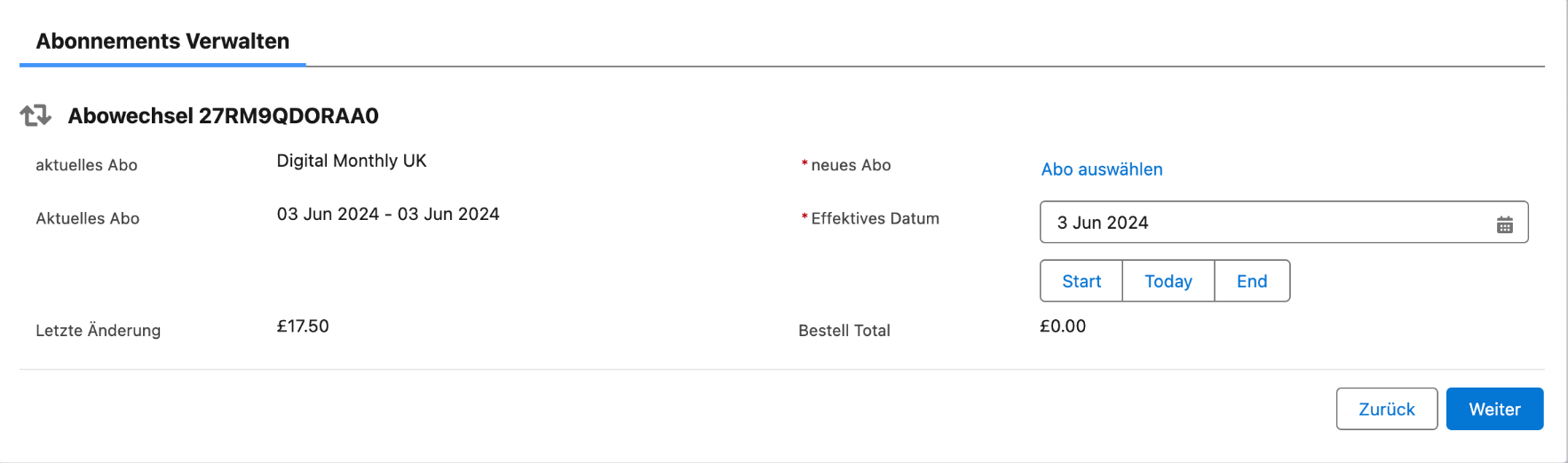
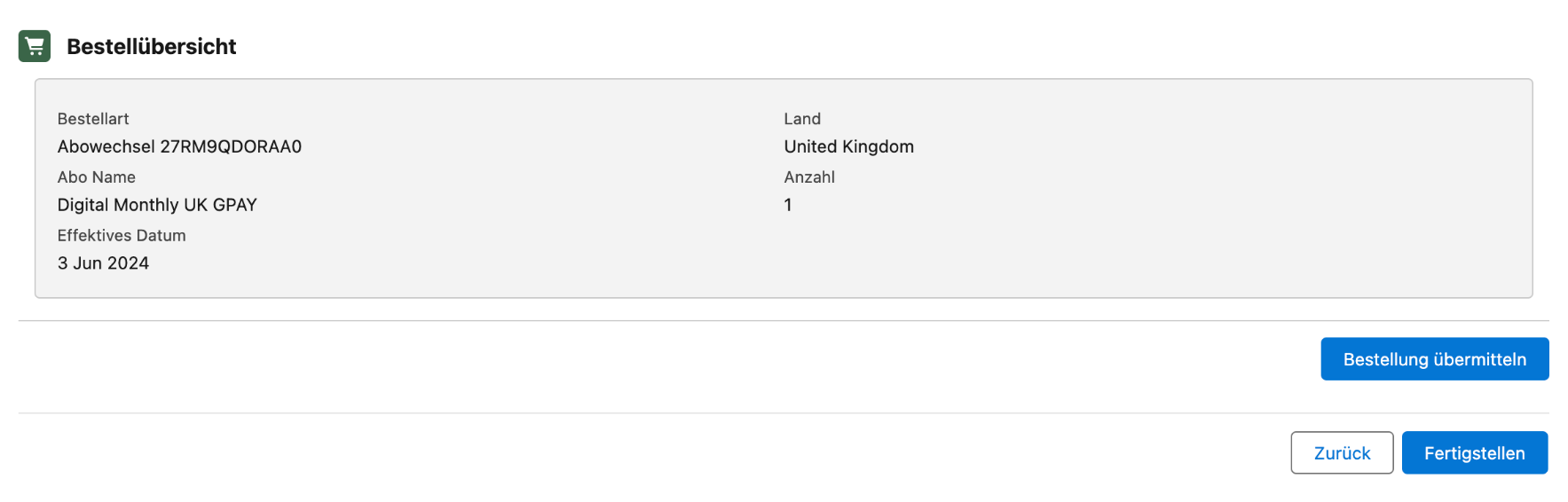
**Overview**: Limio for Salesforce managed package primarily operates in English. However, with the release of version **12.61**, we have introduced translations of custom labels in our Flows into German, thereby expanding our accessibility to German-speaking users.
To see the German translations in Limio flows, ensure your user's language setting is set to German. Once this is done, users can proceed to run the Acquisition and Manage Subscriptions flows translated: Salesforce handles this by automatically displaying the translated content based on the user’s language settings in the org.
#### **What is translated?**
First of all, with translations we aim towards making our end users - customer service representatives' - experience of using our flows easier which is why in the initial iteration of translations we focused on the Limio Acquisition and Manage Subscriptions flows.
Out-of-the-box Salesforce-native labels are translated automatically when user switches their language setting: for instance, Next and Previous buttons on the screen are handled by Salesforce translations automatically. On the other hand, Custom labels are a type of labels defined and reused in the managed package. Usually such labels come from within the custom Apex code and custom Lightning Web Components.
#### **What is not translated?**
It is important to note that certain labels do not fall into the definition of Custom Labels hence are not being translated as part of this initiative, however can be managed and customised by admin users in the Salesforce organisation directly. After installing a version of the package that includes custom labels translations, ensure that the following items are also translated and relabelled to maintain consistency and clarity:
* **Offers Catalog Table Columns and Side Panel Rows:** relabel using the [Offers Catalog Table Configuration tool](https://docs.limio.com/salesforce/setting-up/filtering-rules/customise-table-columns.md).
* **Customer Subscriptions Table Columns:** relabel column headers within [Subscriptions Table Configuration tool](https://docs.limio.com/salesforce/setting-up/additional-config/subscriptions-table-columns/customise-subscriptions-table.md).
* **Reasons for Actions:** reason labels related to [cancellation](https://docs.limio.com/salesforce/servicing-subscriptions/manage-subscriptions-flow/subflow-cancel/add-cancel-reasons.md), [refunds](https://docs.limio.com/salesforce/servicing-subscriptions/manage-subscriptions-flow/subflow-refund/add-refund-reasons.md) and similar actions can be managed through custom metadata, where they are initially defined.
* **Payment Method Dropdown Options:** the payment method dropdown does not use custom labels in these flows. In your copy of each flow, change the label and the options in Flow Builder.
* Limio Order - Cancel
* Limio Order - Change Payment
* Limio Order - Gift Refund
* Limio Order - Redeem Promo Code
* Limio Order - Renew
* Limio Order - Revert Cancel
* Limio Order - Switch
* A copy of the Limio Acquisition Journey made before v14.41
* **Invoice Method Delivery Questions and Dropdown Options:** the invoice delivery question and its options do not use custom labels in Limio Order - Redeem Promo Code, or in a copy of the Limio Acquisition Journey made before v14.41. In your copy, change them in Flow Builder.
* **Promo Code Redemption Flow Input Labels:** input label can be modified from within the flow builder.
{% hint style="info" %}
From v14.41, the packaged payment step uses custom labels for the payment and invoice texts. The labels are `select_payment`, `credit_card`, `direct_debit`, `stripe`, `invoice`, `generate_checkout_url`, `invoice_delivery_question`, `email` and `invoice_delivery_post`. Of these labels, the package includes German text for `email` only. You can change or translate them with Translation Workbench.
{% endhint %}
Our admin tools are not yet translated (tools like Offer Catalog Table Columns config, Subscription Actions rules, Offer Filtering Rules, etc.). Translations coverage can be extended upon future requests.
#### **Can translations be customised?**
Yes, in order to manage translations in your org you need to enable [Translations Workbench](https://help.salesforce.com/s/articleView?id=sf.customize_wbench.htm\&type=5).
#### **Do I need to enable Translations Workbench in order to use the new Limio for Salesforce package version?**
No, it is possible to install a managed package that includes translations in an org without enabling Translations Workbench. The Translations Workbench is only necessary for managing translations at the org level. Our package translations will be applied automatically as long as the user's language settings match the translated content.
---
# Agent Instructions
This documentation is published with GitBook. GitBook is the documentation platform designed so that both humans and AI agents can read, navigate, and reason over technical content effectively. Learn more at gitbook.com.
## Querying This Documentation
If you need additional information that is not directly available in this page, you can query the documentation by asking a question.
Perform an HTTP GET request on the following URL with the `ask` and `goal` query parameters:
```
GET https://docs.limio.com/salesforce/setting-up/detailed-salesforce-setup/package-translations.md?ask=&goal=
```
`ask` is the immediate question: it should be specific, self-contained, and written in natural language.
`goal` is what the user is ultimately trying to achieve, the reason they need the answer. Sharing it helps GitBook give you a better, more relevant answer. A goal is most helpful when it describes the outcome the user wants rather than restating the question. For example, with `ask=how do I create an API token`, a goal like `automate deployments from our CI pipeline` lets GitBook tailor the answer to that use case.
The response will contain a direct answer to the question and relevant excerpts and sources from the documentation.
Use this mechanism when the answer is not explicitly present in the current page, you need clarification or additional context, or you want to retrieve related documentation sections.