> For the complete documentation index, see [llms.txt](https://docs.limio.com/llms.txt). Markdown versions of documentation pages are available by appending `.md` to page URLs; this page is available as [Markdown](https://docs.limio.com/salesforce/setting-up/additional-config/subscription-actions-rules.md).
# Subscription Actions
**LFS version**: requires v12.42 or later
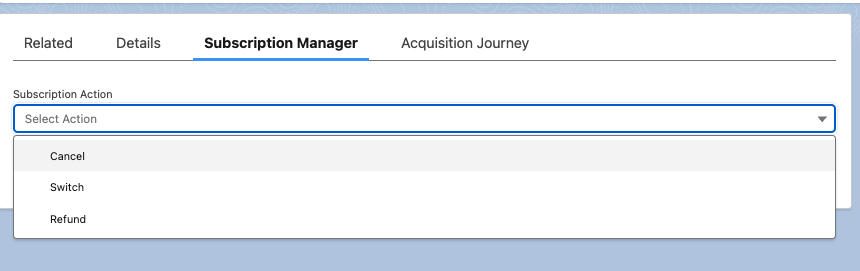
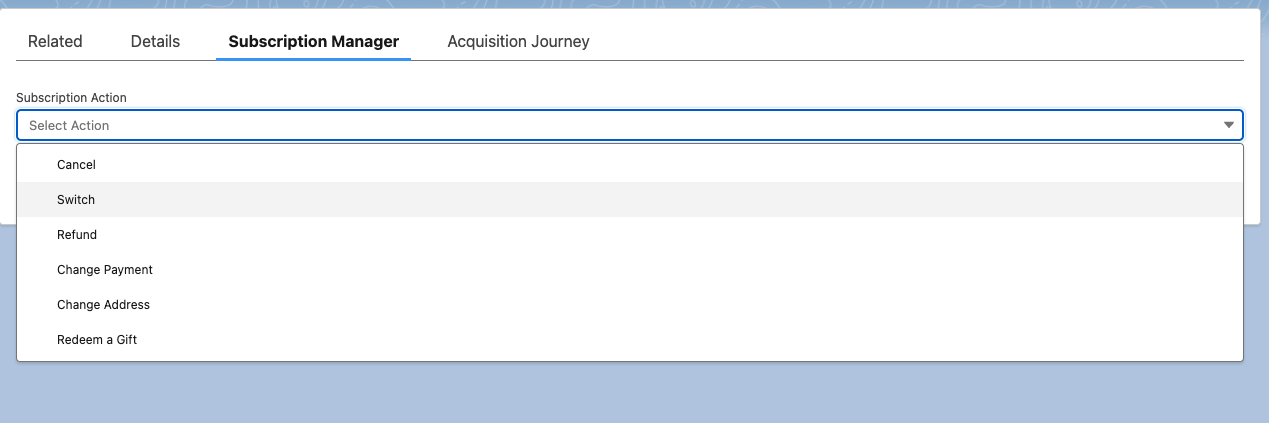
When a subscription is selected in the **Manage Subscriptions flow**, on the next screen users see a **list of available actions** based on the subscription's attributes. This subscription actions list is defined on the backend by a standard Limio Apex class.
This article describes a new tool - **Subscription Actions Rule Rules Builder** - which allows defining custom rules to show different actions for different subscription criteria.
{% hint style="info" %}
**Each rule has two lists.** Fill in **Actions List** for Zuora and **Actions List (Stripe)** for Stripe. The package uses the list for your Payment Provider. If that list is empty, the agent sees no actions for subscriptions that match the rule. See [Payment Providers](https://docs.limio.com/salesforce/setting-up/detailed-salesforce-setup/payment-providers.md).
{% endhint %}
***
### Subscription Actions Rule Rules Builder is based on a new custom object called **Subscription Actions Rule.**
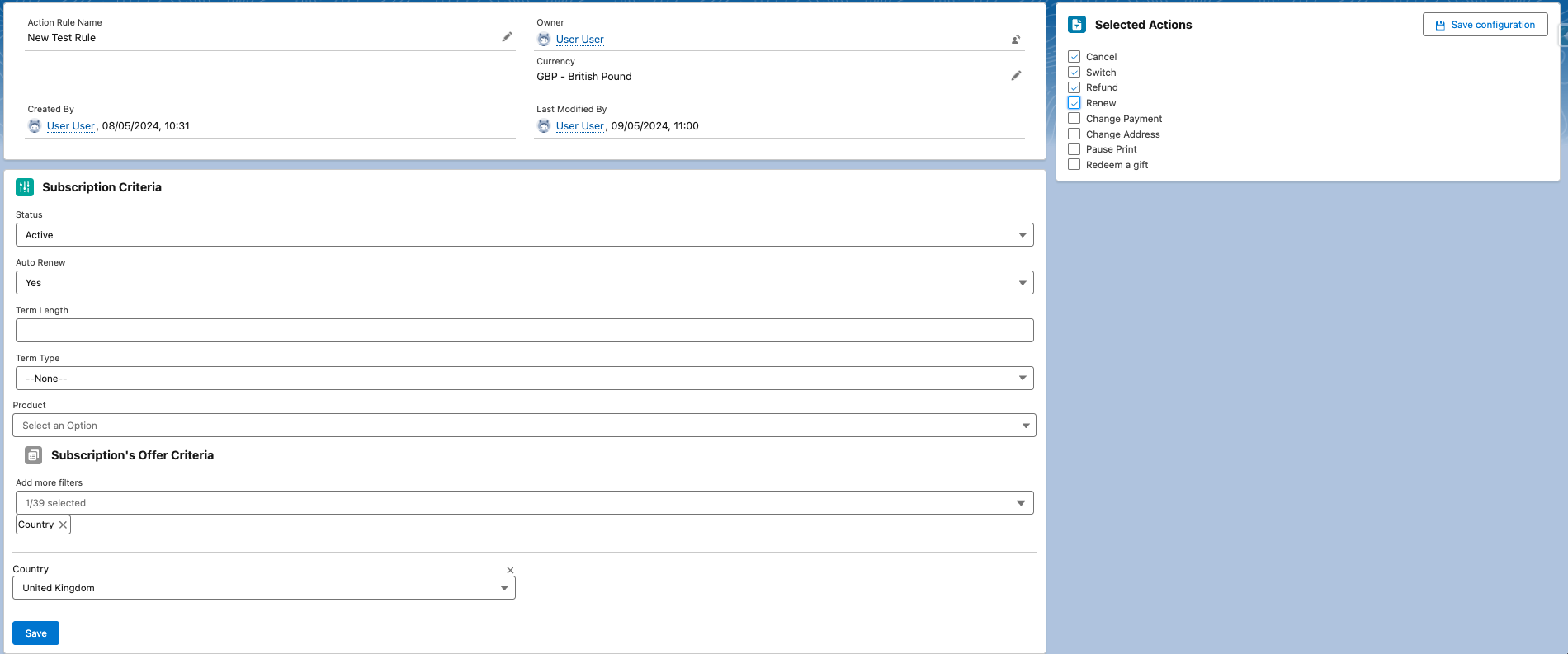
* Open the **Limio - Subscription Actions Rules** tab from the App Launcher or from the Limio Console. Create a new rule record.
* Define subscriptions criteria on the left side of the page, and click Save.
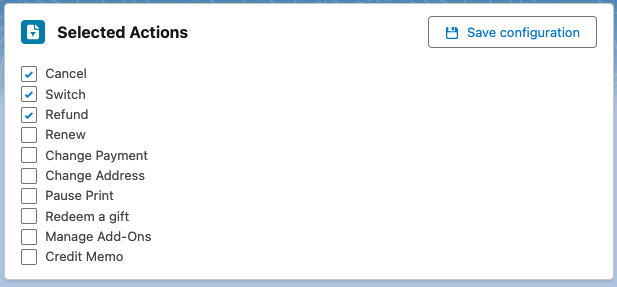
* Select the allowed actions on the right, and Save it.
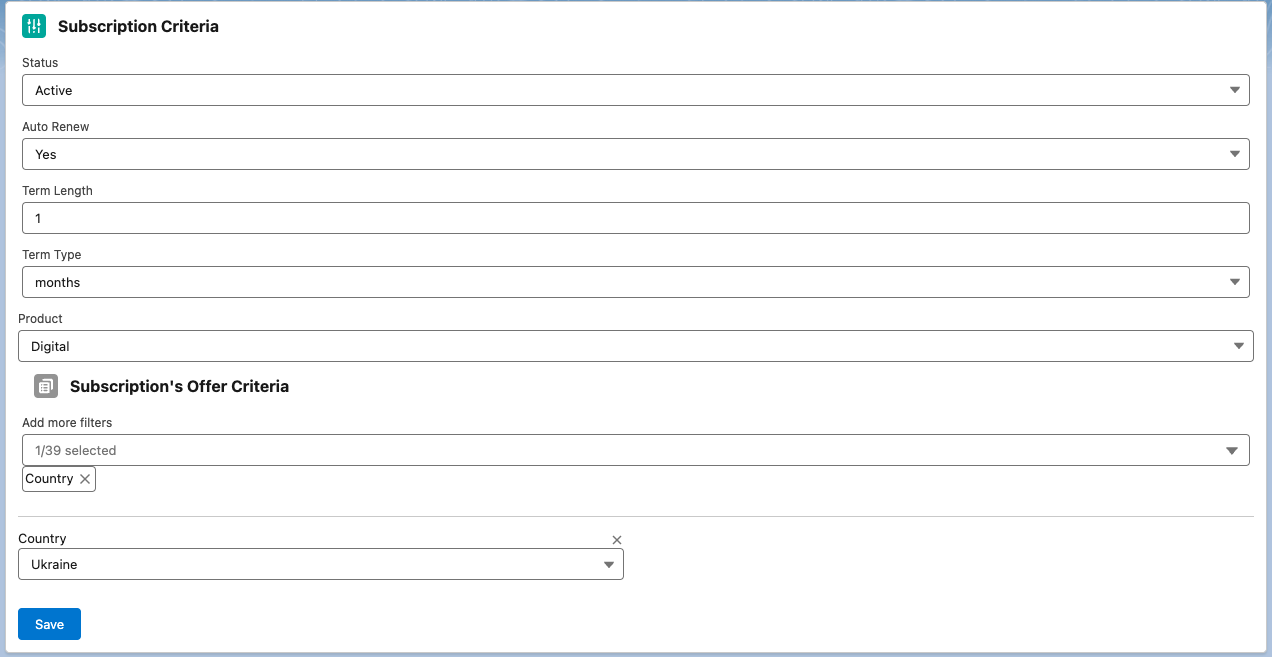
**Subscription Criteria** section is where you can set up entry criteria to check against a subscription.
It includes some subscription level attributes (like Status, Term details, Product etc.) and Subscription Offer's Criteria with all the standard and custom attributes defined in the Limio template:
And action Selector on the right side of the page
* When a user selects a subscription in the **Manage Subscriptions** flow and this subscription **matches the rule's subscription criteria**, only specified actions will be available.
* A rule does not check the conditions of the default actions. For example, a rule that lists Cancel shows Cancel also for a gift subscription.
* When more than one rule matches, the package uses the best matching rule. A rule whose offer criteria match the offer comes first. If more than one does, the package uses the rule with the most offer criteria.
* If no offer criteria match, the package uses a rule without offer criteria. If there is no such rule, the agent sees an error. Thus, add a rule without offer criteria as a fallback. See [Cause 8](https://docs.limio.com/salesforce/support/troubleshooting/no-actions-available.md#cause-8-no-rule-matches-the-offer).
* The package ranks the rules without offer criteria by Status, Term Type, Term Length, Product and External. A rule with a value comes before a rule without one. Auto Renew and Has Delivery do not change the rank.
* **Permission Sets** limits a rule to agents with one of the listed permission sets. The package uses only the best matching rule. An agent without one of its permission sets sees the default actions. The package does not try another rule.
* If no rule matches the subscription criteria, the agent sees the default actions. See [Override Actions](https://docs.limio.com/salesforce/setting-up/additional-config/subscription-actions-rules/override-subscription-actions.md).
### Tips
1\. Manage Subscriptions flow triggers **Get Subscription Actions** Apex class and passes down properties from the selected subscription record. Make sure that the following properties are included and mapped correctly:
```
- endDate
- external
- hasDelivery
- isAutoRenewable
- isGift
- isGiftRefundable
- offerPath
- offerProducts
- offerTermLength
- offerTermType
- status
```
### Note
If there are no records of the **Subscription Actions Rule** type available, Limio will fall back on its [internal logic for surfacing actions](https://docs.limio.com/salesforce/setting-up/additional-config/subscription-actions-rules/override-subscription-actions). Please review this logic to understand how actions are determined in the absence of explicit rules.
#### Related articles:
[Override Actions](https://docs.limio.com/salesforce/setting-up/additional-config/subscription-actions-rules/override-subscription-actions.md)
---
# Agent Instructions
This documentation is published with GitBook. GitBook is the documentation platform designed so that both humans and AI agents can read, navigate, and reason over technical content effectively. Learn more at gitbook.com.
## Querying This Documentation
If you need additional information that is not directly available in this page, you can query the documentation by asking a question.
Perform an HTTP GET request on the following URL with the `ask` and `goal` query parameters:
```
GET https://docs.limio.com/salesforce/setting-up/additional-config/subscription-actions-rules.md?ask=&goal=
```
`ask` is the immediate question: it should be specific, self-contained, and written in natural language.
`goal` is what the user is ultimately trying to achieve, the reason they need the answer. Sharing it helps GitBook give you a better, more relevant answer. A goal is most helpful when it describes the outcome the user wants rather than restating the question. For example, with `ask=how do I create an API token`, a goal like `automate deployments from our CI pipeline` lets GitBook tailor the answer to that use case.
The response will contain a direct answer to the question and relevant excerpts and sources from the documentation.
Use this mechanism when the answer is not explicitly present in the current page, you need clarification or additional context, or you want to retrieve related documentation sections.