> For the complete documentation index, see [llms.txt](https://docs.limio.com/llms.txt). Markdown versions of documentation pages are available by appending `.md` to page URLs; this page is available as [Markdown](https://docs.limio.com/salesforce/agent-assisted-ordering/acquisition-flow/abandoned-baskets/enable-abandoned-baskets.md).
# Enable Abandoned Baskets
Abandoned baskets logic is included in the Limio Acquisition Journey flow by default. If your flow copy was created before this feature was released, you'll need to update it. Follow the steps below and refer to the Limio Acquisition Journey flow for guidance.
1\. Create a formula to verify if Get Customer Details returned ownerId. If the id exists, it confirms the customer is in the Limio database, allowing us to retrieve their baskets.
2\. Add a Decision element to check the missing\_ownerId value. If id is present, proceed to the next step.
3\. Call i42as\_\_AbandonedBasketsControllerMultiOwner and pass ownerIds list as a parameter.
4\. Check for returned baskets from Apex. If there are any, add a new screen featuring a Limio Abandoned Baskets Table component, passing the list of baskets as an input property.
5\. Add a decision element after to proceed to the offer catalog or skip it depending on the output property of the Abandoned basket component.
If the catalog is being skipped, make sure to assign the following variable values:
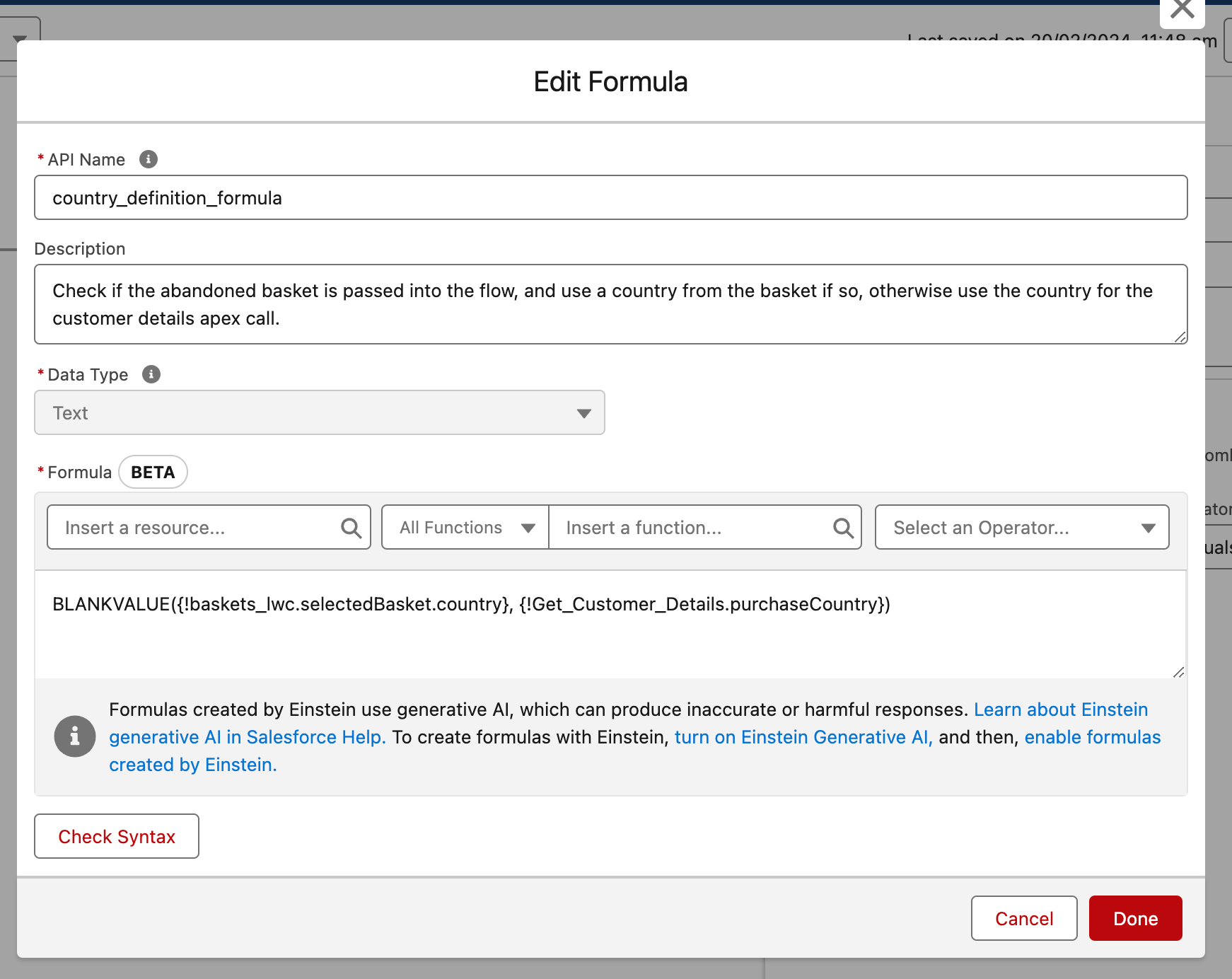
If proceeding to the Offers Catalog, assign the purchase country value to pre-populate the catalog filters. By default, Limio flow uses the country from the selected basket (if chosen) or the country from the Get Customer Details response.
These steps will let you utilise the abandoned baskets functionality in your flow copy. The rest of the flow stays unchanged.
For more details on Abandoned baskets logic, check [Abandoned Baskets](/salesforce/agent-assisted-ordering/acquisition-flow/abandoned-baskets.md).
---
# Agent Instructions
This documentation is published with GitBook. GitBook is the documentation platform designed so that both humans and AI agents can read, navigate, and reason over technical content effectively. Learn more at gitbook.com.
## Querying This Documentation
If you need additional information that is not directly available in this page, you can query the documentation dynamically by asking a question.
Perform an HTTP GET request on the current page URL with the `ask` query parameter, and the optional `goal` query parameter:
```
GET https://docs.limio.com/salesforce/agent-assisted-ordering/acquisition-flow/abandoned-baskets/enable-abandoned-baskets.md?ask=&goal=
```
`ask` is the immediate question: it should be specific, self-contained, and written in natural language.
`goal` is optional and describes the broader end goal you are ultimately trying to accomplish on behalf of the user. GitBook uses it to tailor the answer towards what is most useful for that goal.
The response will contain a direct answer to the question and relevant excerpts and sources from the documentation.
Use this mechanism when the answer is not explicitly present in the current page, you need clarification or additional context, or you want to retrieve related documentation sections.
.png?alt=media)
.png?alt=media)
.png?alt=media)
.png?alt=media)
.png?alt=media)
.png?alt=media)